
If your Instant Pot 4QT RIO Mini keeps displaying a burn error, it can be frustrating and disrupt your meal prep. This guide offers practical, step-by-step solutions to identify and resolve common causes of this issue, helping you get back to cooking quickly and safely.
By understanding the typical reasons behind the burn message—such as food sticking, insufficient liquid, or a dirty sealing ring—you can troubleshoot effectively without risking damage to your appliance.
Key Takeaways
| Liquid Levels | Ensure enough liquid is present to generate steam. |
| Food Sticking | Foods that stick or burn can trigger the error. |
| Sealing Ring & Lid | A clean, properly seated sealing ring prevents burn messages. |
| Inner Pot & Base | Keep the inner pot clean and check for debris. |
| Cooking Settings | Avoid overfilling or using incompatible settings. |

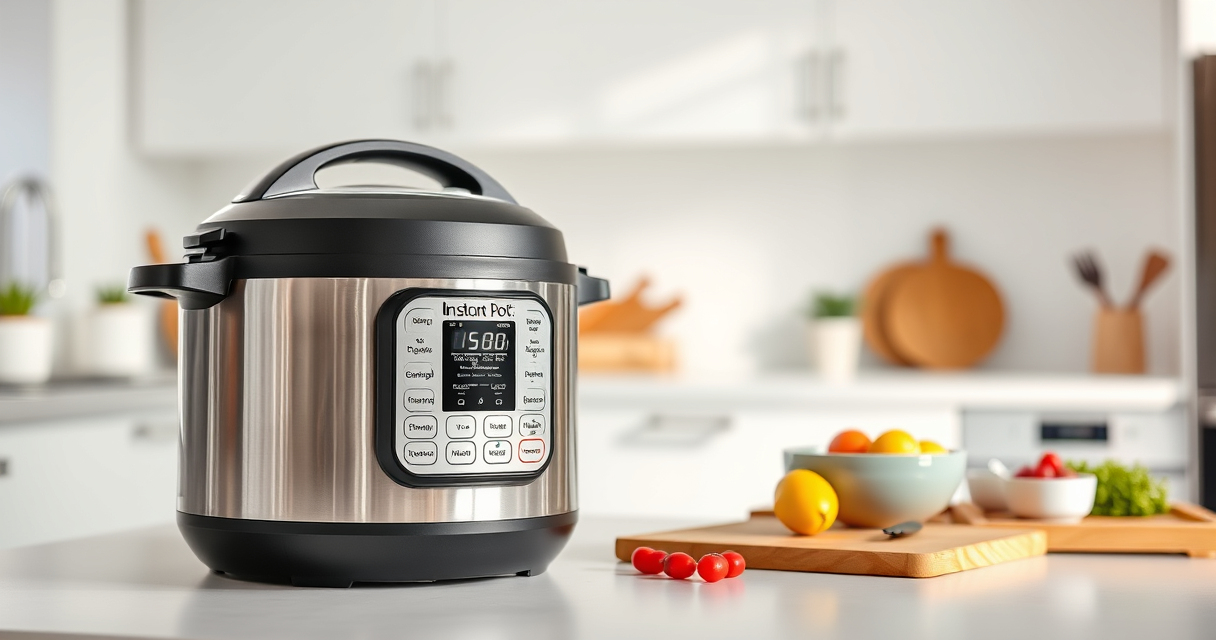
Instant Pot 4QT RIO Mini 7-in-1 Multi-Cooker, Pressure Cooker, Slow cook, Sauté, Steam, Rice Maker, Yogurt, & Warmer, Black, 4 Quarts
- 7-in-1 Multi-Cooker Functions: Pressure, slow, sauté, steam, rice, yogurt, warm
- Compact and Space-Saving: Mini size with same cooking surface as 8-inch pan
- Ideal for Small Meals: 4-quart capacity for up to 4 servings
As an affiliate, we earn on qualifying purchases.
Step 1: Check the Liquid Level
- Open the lid and inspect the inner pot.
- Add at least 1 cup of liquid (water, broth, etc.) if the food is dry or thick.
- Ensure the liquid covers the bottom of the pot for proper pressure buildup.
Step 2: Prevent Food from Sticking or Burning
- Layer ingredients carefully, avoiding placing thick or sticky foods directly on the bottom.
- Use the sauté function to pre-cook or loosen ingredients before pressure cooking.
- Consider using a steamer basket or trivet to keep food elevated from the bottom.
Step 3: Clean and Check the Sealing Ring and Lid
- Remove the sealing ring and wash it with warm, soapy water. Replace if damaged or cracked.
- Check that the sealing ring is seated properly in the lid.
- Make sure the lid’s pressure release valve is clean and set to sealing position.
Step 4: Inspect and Clean the Inner Pot and Base
Ensure the inner pot is free of food residue or debris. Wipe the base of the cooker to remove any stuck particles that could interfere with pressure sensing.
Step 5: Adjust Cooking Settings and Filler Levels
- Do not overfill the inner pot—leave at least 1-2 inches of space from the top.
- Use the appropriate cooking function and avoid high-heat settings that can cause burning.
The Products in This Guide

Instant Pot 4QT RIO Mini 7-in-1 Multi-Cooker
- ✔ Power: 700W
- ✔ Voltage: 110V
- ✔ Warranty: 1 Year

AOZITA Steamer Basket
- ✔ Capacity: Two-tier design
- ✔ Weight: Approx. 1 lb
- ✔ Dishwasher Safe: Yes
Instant Pot 4QT RIO Mini 7-in-1 Multi-Cooker
The Instant Pot 4QT RIO Mini is a versatile 7-in-1 appliance perfect for small households. Its anti-spin design and modern look make it user-friendly and space-efficient.
Pros:
- 7 cooking functions including pressure cook and sauté
- Compact size ideal for small spaces
- Easy to monitor cooking progress
- Sturdy anti-spin base
Cons:
- Limited 4-quart capacity
- Requires careful cleaning to avoid burn errors
- Not suitable for large families
Best for: Small families, singles, students
Not ideal for: Cooking for large groups or meals requiring bigger capacity
Bottom line: A versatile, space-saving cooker ideal for small households, with attentive cleaning to prevent burn errors.
AOZITA Steamer Basket
The AOZITA Steamer Basket enhances your Instant Pot’s utility by enabling multi-level steaming and quick strainings, perfect for busy kitchens.
Pros:
- Two-tier stackable design
- Stainless steel mesh for durability
- Compatible with 6 and 8 quart models
- Easy to clean and store
Cons:
- Additional accessory cost
- Requires extra space inside the cooker
- May need practice to stack efficiently
Best for: Steam vegetables, seafood, eggs, and more
Not ideal for: For those not needing steaming features
Bottom line: A durable and versatile steaming accessory that maximizes your Instant Pot’s capabilities.
Frequently Asked Questions
Why does my Instant Pot keep showing a burn error?
Common causes include insufficient liquid, food sticking to the bottom, or a dirty sealing ring. Follow troubleshooting steps to resolve these issues.
How much liquid do I need to prevent the burn message?
Ensure there is at least 1 cup of liquid in the inner pot for most recipes to generate enough steam and pressure.
Can I use my Instant Pot without cleaning the sealing ring?
No, a clean, properly seated sealing ring is essential for safe operation and preventing burn errors.
What should I do if the burn error keeps appearing even after troubleshooting?
Try replacing the sealing ring and cleaning the inner parts thoroughly. If the problem persists, consult the user manual or contact customer support.
Mastering Your Instant Pot for Error-Free Cooking
Burn errors can be frustrating, but with proper attention to liquid levels, cleaning, and food placement, you can minimize their occurrence. Regular maintenance and correct usage ensure your Instant Pot remains a reliable kitchen companion for quick, delicious meals.
Affiliate disclosure: As an Amazon Associate we earn from qualifying purchases. Prices and availability are accurate as of the time of publishing.